Float Pool Scheduling for Nursing Homes: A Practical Guide

Float Pool Scheduling for Nursing Homes: A Practical Guide
Float pool scheduling in a nursing home comes down to two jobs done separately: build a roster that says who is available for which shifts, then place those people each day where the building needs them most. Do both on a phone-friendly system with clear competency rules, and your float staff become a steady source of coverage instead of a daily scramble.
This guide is for administrators, directors of nursing and staffing coordinators in long-term care. It covers how to size and roster a pool, how to place people daily, which rules to respect when you float someone, how to handle last-minute changes, and which numbers tell you whether the pool is working.
TL;DR
- A float pool is a group of staff assigned shift by shift to wherever coverage is thin, so you schedule it as its own roster plus a daily placement list.
- Match every placement to documented competency. Clinical judgment cannot be delegated, so the person floated must be qualified for the assignment.
- Plan for last-minute changes with a written policy, a single channel for assignments and a closed loop so every change is acknowledged.
- Track fill rate, cancellations, outside agency hours and cost per hour, and review them on a fixed rhythm.
- Phone-first tools reduce the phone tag, but they work only when staff are trained on them.
Table of Contents
- What a float pool is in long-term care
- Two schedules, not one
- Building the pool roster
- Placing people each day
- Rules to account for when you float staff
- Handling last-minute changes
- Metrics that show whether the pool works
- Where mobile tools and scheduling software fit
- Our perspective
- How MyLTC Apps supports float pool scheduling
- Common float pool problems and fixes
- FAQ
- Sources
What a float pool is in long-term care
A float pool is a set of employees who are not tied to one unit. Per AMN Healthcare’s description of float pool management, float staff can be assigned to different areas within a local area, at one facility or several, based on staffing needs on a shift-by-shift basis.
In a skilled nursing facility that usually means a handful of CNAs, LPNs and RNs, and sometimes dietary, housekeeping or activities staff, who cover call-outs, vacations, census swings and new admissions across halls and neighborhoods.
The case for building one in-house is cost and continuity. In a study of staffing strategies, UCLA Health’s contract labor use fell by 45% after it centralized its in-house float team. That is a hospital system, not a nursing home, so treat it as direction rather than a promise. Still, the logic carries over: people who know your building, your residents and your charting expectations are worth more than a stranger arriving at 6:45 a.m.
Two schedules, not one
Most float pool trouble comes from trying to make one document do two jobs. Separate them.
- The pool roster. This is the standard schedule: who is working which shift this week or this four-week cycle, and who is on call. It is built ahead of time, the same way you build unit schedules.
- The daily placement. This answers a different question: given who is in the building today, where does each person go? It is set the evening before and adjusted at the start of the shift as call-outs and census come in.
The roster is a planning problem. The placement is a matching problem. Keeping them apart lets you publish the roster early, which staff value, while keeping the flexibility you need on the day.
Building the pool roster
Size the pool from your own data
Don’t copy a number from another facility. Start with your last six to twelve months of schedules and look at three things:
- Hours lost to call-outs, PTO and leave, by discipline and by shift.
- Hours you filled with overtime, agency or a manager working the floor.
- Which shifts and which halls had the most uncovered gaps. Weekend and evening shifts usually lead the list.
Add those hours up and convert to full-time equivalents for each role. That figure, not a rule of thumb, is your starting pool size. Start smaller than the number suggests, then grow as you see how fill rates behave.
Decide the rules for the roster
Write the rules down before the first schedule goes out:
- Shift patterns. Fixed days with variable location, or variable days within an availability window.
- Home unit. Many facilities give float staff a home unit for payroll and supervision and float them out from there.
- Float differential. If you pay one, state when it applies.
- Preferred shifts. Use a rotation so the same people don’t always get the weekends off, and the same people don’t always get stuck with them.
- Notice. Decide how far ahead open shifts are posted and how far ahead the roster is published, then keep to it.
Self-scheduling can help with fairness and morale as long as it sits inside rules you set. Our guide to self-scheduling nurses in long-term care walks through how to do that without creating compliance gaps.
Keep float staff oriented
A float nurse who has never seen a unit is a liability for the resident and for the nurse. Give every float employee a unit-specific orientation before they work alone on a new hall: where supplies are, how call lights and alarms work, resident routines, who the charge nurse is. A couple of shadow shifts per unit is a common starting point. Record the orientation so you can show it later.
Placing people each day
The daily placement works best as a short, repeatable routine.
- Check the census and acuity. New admissions, hospice residents and anyone on increased monitoring change the load on each hall.
- Count who is actually in. Confirmed call-outs, late arrivals and agency staff on the schedule.
- List the gaps by role and hall. Be specific: “one CNA, B hall, evenings,” not “we’re short.”
- Match by competency first, then by preference and fairness. A float staff member should go where they are qualified and oriented. Then rotate the less popular units.
- Publish once, to everyone affected. The float employee, the charge nurse on the receiving unit and the unit being left should all see the same assignment.
The third and fourth steps are where documented competencies earn their keep. If you can see at a glance who is signed off on what, placement takes minutes. Our guide to competency tracking for nursing staff explains how to keep that record survey-ready.
Rules to account for when you float staff
Competence and delegation
Floating someone is a staffing decision, but the nurse still carries professional responsibility. The ANA says nurses have an obligation to state their limitations and decline an assignment they lack the education or experience for. Your process should make it easy and safe for a floated nurse to say so, and give the charge nurse a plan B.
Delegation has limits too. The ANA and NCSBN joint statement says clinical reasoning, nursing judgment and critical decision-making cannot be delegated. The same document points to patient needs and stability, the delegatee’s documented training and competence, supervision, staff mix and acuity as the basis for delegation decisions. When you float a CNA into a hall with several high-acuity residents, those are the factors to check, and the supervising nurse needs to know the CNA’s competencies.
State nurse practice acts and your state’s nursing home rules also apply. Confirm the specifics with your state board of nursing or state survey agency.
Federal staffing and facility assessment
In April 2024, CMS finalized a minimum staffing standard for long-term care facilities of 3.48 hours per resident day, including at least 0.55 for RN care and 2.45 for direct nurse aide care. It also finalized a requirement for an RN onsite 24 hours a day, seven days a week, which can be the Director of Nursing if that person is available for direct resident care. The status of these requirements has been in flux, so check current CMS data before you plan around them. Our post on staffing ratios and CMS data for nursing homes tracks where things stand.
Whatever the final numbers, a float pool is how most facilities hit their hours on shifts where the unit schedule is short. Keep records of hours by role and by shift so you can see your position at any time.
There is also the facility assessment. Under 42 CFR §483.71, CMS regulations effective August 8, 2024 require facilities to document a facility-wide assessment at least annually and update it as needed, to determine needed resources and inform staffing decisions and staff competencies. Your float pool design, size and skills mix belong in that document.

Fatigue and on-call limits
Float staff are often the ones offered extra shifts. Watch consecutive days and hours, and read our guide to on-call scheduling and fatigue citations before you lean on the same three people.
Handling last-minute changes
The gap between what the schedule says at 3 p.m. and what is true at 6 a.m. is where float pools prove their value, and where they fall apart. Four habits help.
Write a schedule change policy. Staff should know how late they can call out, who they call, how swaps are approved and how float assignments can change. Our schedule change policy guide gives you a framework to adapt.
Use one channel for assignments. If some people get a text, others a phone call and a few see a whiteboard, someone will miss it. Pick one source of truth, ideally the phone staff already carry.
Close the loop. An assignment isn’t done when it is sent. It is done when the person acknowledges it and the receiving unit knows they are coming. See our piece on closed loop tasking in U.S. long-term care for how to build that into daily work.
Keep a call order. Decide in advance who is called first for an open shift: on-call float, then part-time staff, then incentive shifts, then agency. A written order stops arguments and shows fairness.

Metrics that show whether the pool works
You don’t need a dozen dashboards. A few numbers, reviewed monthly, tell you most of what you need.
| Metric | What it tells you | How to calculate it |
|---|---|---|
| Fill rate | How many open shifts the pool covered | Open shifts filled by float staff divided by total open shifts |
| Cancellations | Whether the pool is being used reliably | Shifts canceled by you or by float staff, as a share of pool shifts |
| Agency and overtime hours | Whether the pool is reducing outside spend | Hours by role, month over month |
| Cost per hour | What coverage costs you | Pool wages, differentials and benefits divided by pool hours, compared with agency and overtime rates |
| Utilization | Whether you carry too many or too few float staff | Hours worked in placements divided by hours scheduled |
| Orientation coverage | How many units each float employee is cleared for | Count of signed-off units per person |
These are management measures you define yourself, so set the definitions once and keep them stable. A rising fill rate with falling agency hours is the pattern you want.
Staff stability matters too. CDC research found that leadership commitment to worker safety, health and well-being is associated with roughly 10% lower staff turnover in nursing homes. Float staff who feel respected, get predictable rosters and aren’t thrown into units unprepared are likelier to stay.
Where mobile tools and scheduling software fit
Software doesn’t fix a bad float policy, but it removes the manual work that makes good policy hard to run: spreadsheets, group texts, a whiteboard at the nurses’ station.
Be realistic about adoption. CDC-hosted research on health information technology in nursing homes found inconclusive effects on staff turnover and modest evidence of better teamwork and communication. The same body of work points to underinvestment in training and infrastructure as a cause of work-arounds and errors. The lesson is practical: choose tools that floor staff can use in a few taps, and budget time to train them.
What to look for in a scheduling tool for a float pool:
- Roster and open-shift posting in one place, visible on a phone.
- Role and competency data attached to each person.
- Notifications for assignment changes with acknowledgment.
- Records of hours by role and shift you can export for surveyors or corporate.
- Simple enough for a CNA to use on a personal device between tasks.
Our overview of shift scheduling software for nursing homes shows how these pieces fit together, and our Kansas scheduling guide is a worked example of state-level considerations.
Our perspective
We built MyLTC Apps around a simple observation: the people who make a float pool work are the ones on the floor, and they run their day from a phone. If assignments, tasks and checklists are three taps away, float staff arrive knowing where they are going and what is expected of them.
We think scheduling should never sit apart from competencies and compliance. A float pool is only as safe as the match between a person and a placement, so the roster, the sign-offs and the daily tasks should live in one phone-first menu. That is how we design it, and it is why surveyor-ready records come out of normal daily work, not a scramble the week before a survey.
Our advice to administrators is to start small. Set the two schedules, write the call order, document competencies, and review four numbers every month. Then add tools where the work is still manual.
Philip
How MyLTC Apps supports float pool scheduling
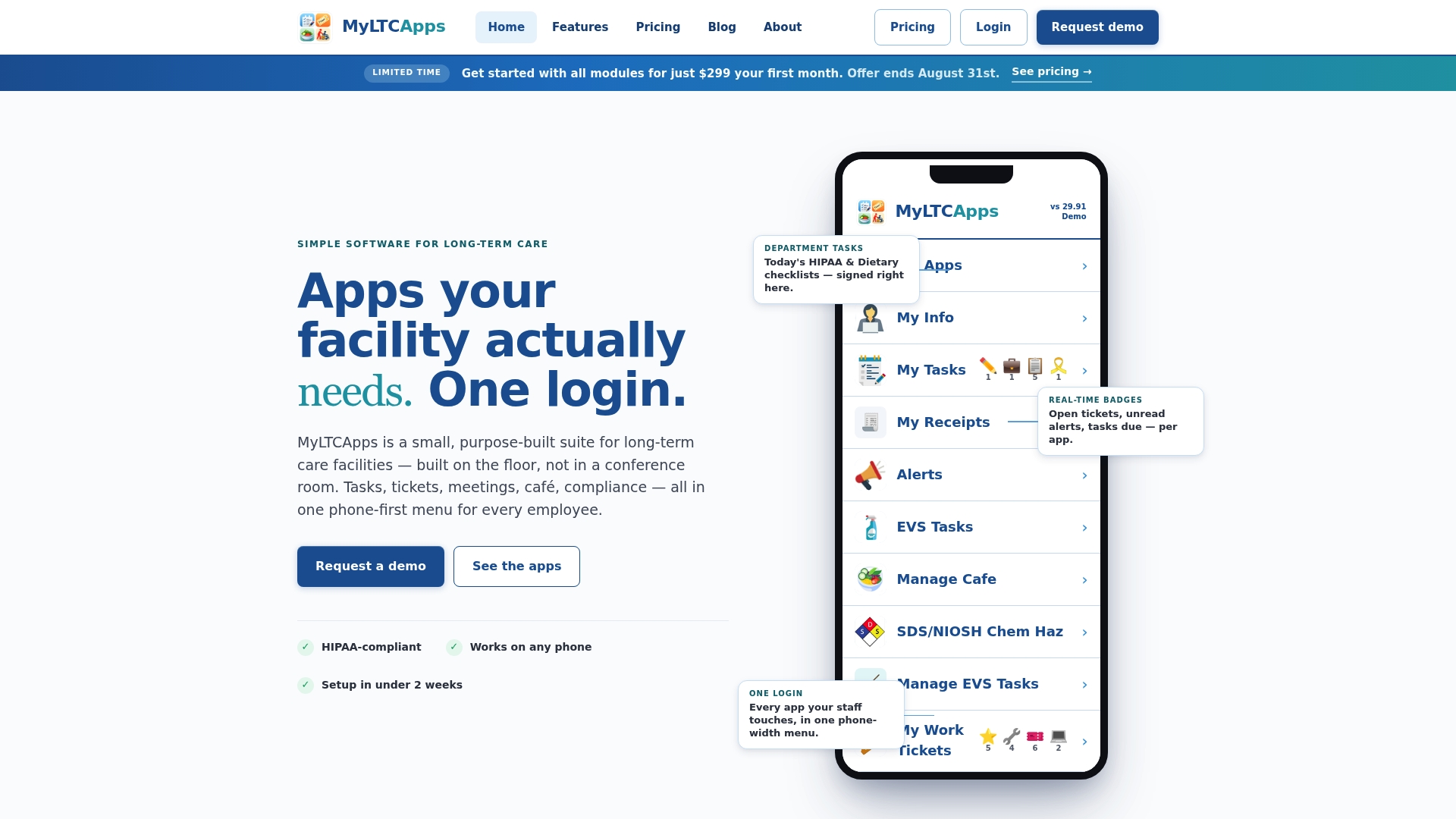
MyLTC Apps is a phone-first suite for long-term care and skilled nursing facilities. For float pool work, the relevant pieces are Shift Scheduling for rosters and open shifts, nurse competency tracking, task management for daily checklists, and alerts for assignment changes.
Plans are priced per facility per month: I Just Want That at $199, Starter Pack at $299, Growth Pack at $499 and Premium Pack at $792. See what each includes on the pricing page. If your biggest gap is knowing who is cleared for which unit, start with our nurse competency tracking software.
Common float pool problems and fixes
The same people always get floated. Rotate by a written order and track float shifts per person. Uneven float load is a frequent cause of resentment and turnover.
Float staff feel like outsiders on the unit. Orient them, introduce them to the charge nurse and give the unit a way to hand off residents’ routines in a short note or checklist.
The pool gets raided for routine vacancies. A float pool exists for variable gaps. If a unit has a permanent vacancy, recruit for it rather than letting the pool absorb it.
Nobody can see the plan. Post the roster and daily placement where everyone can read them on a phone, and treat the whiteboard as a backup.
Agency fills the gaps by default. Put outside staff last in the call order and track the hours. If agency hours stay high on specific shifts, grow the pool for those shifts.
If you want a comparison with general scheduling apps, our guide to When I Work alternatives for long-term care explains what long-term care facilities need that general tools often lack.
FAQ
How do you schedule a float pool?
Keep two schedules. The pool roster shows who works which shift over the cycle, and the daily placement shows which unit each person covers that day. Build the roster in advance and set the placement the evening before, adjusting at the start of the shift.
How big should a nursing home float pool be?
Base it on your own data: hours lost to call-outs, leave and vacancies, and hours covered by overtime or agency, by role and shift. Convert those hours into full-time equivalents, start a bit below that figure and adjust as fill rates show you the real need.
What should managers check before floating a nurse or CNA?
Check documented competency for the unit and residents, orientation to that hall, the acuity on the receiving unit and who will supervise. Nurses can decline an assignment they aren’t qualified for, so give them a clear way to raise it.
How do you manage float pool staff in real time?
Use one channel for assignments, require acknowledgment and keep a written call order for open shifts. A phone-first scheduling tool makes this easier because everyone sees the same assignment at the same time.
Which metrics matter most for float pool management?
Fill rate, cancellations, agency and overtime hours, cost per hour and utilization. Define each once and review them monthly so you can see trends.
Sources
- Healthcare Float Pool Management, AMN Healthcare
- Feature Strategies to Ensure Adequate Staffing, ScienceDirect
- Minimum Staffing Standards for Long-Term Care Facilities, CMS fact sheet
- Facility assessment requirements, CMS QSO-24-13-NH
- Questions to Ask in the Decision to Accept Assignments, ANA
- National Guidelines for Nursing Delegation, ANA and NCSBN
- Can Better Leadership Reduce Nursing Home Staff Turnover?, CDC
- Nursing Home Implementation of Health Information Technology, CDC