The facility assessment,
built from data you
already keep.
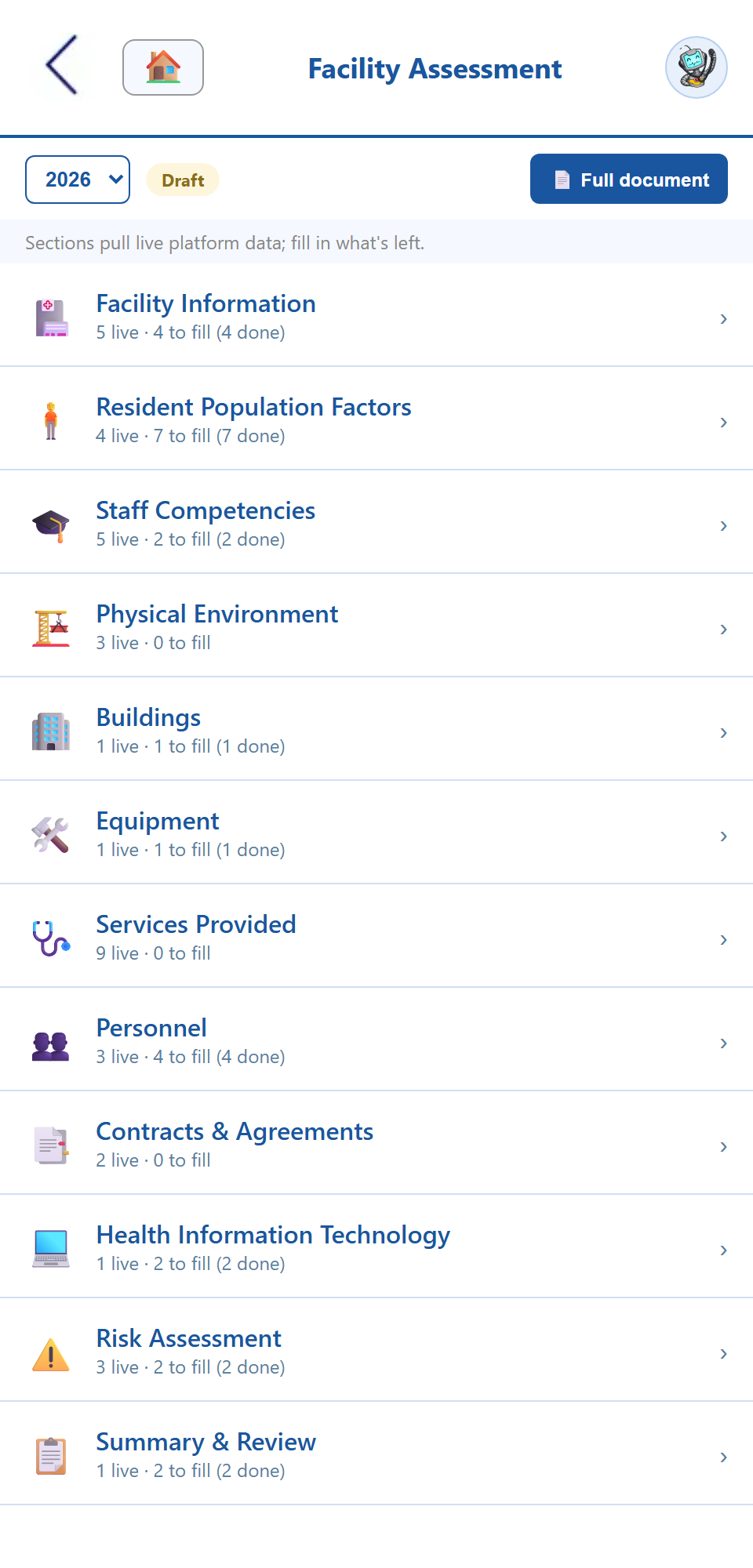
Facility Assessment turns the CMS-required long-term care assessment (42 CFR §483.71) into a living document instead of a file someone rewrites every January. Twelve required sections ship pre-built. The parts that describe your roster, census, competencies, equipment, and contracts are drawn live from the modules that already hold them. Resident condition tallies compute their own percentages, every review is stamped into a log, and the whole assessment prints as a clean, survey-ready document whenever a surveyor asks for it.
The §483.71 assessment, kept current all year.
From a single resident-condition tally to the printed document a surveyor reads — one connected facility assessment, built for the administrator’s desk and the survey window.
Fill in an assessment instead of designing one.
Facility information, resident factors, staff competencies, environment, buildings, equipment, services, personnel, contracts, health IT, risk, and summary — the twelve sections the CMS facility assessment expects ship structured and ready. The parts that describe data your facility already keeps are drawn live from the module that owns it and marked with a “live from” chip, so the staffing numbers in your assessment are the same numbers in your roster. One copy of every fact means the document can’t quietly drift out of date between reviews.
- ✓ All twelve §483.71 sections, pre-structured
- ✓ Roster, census, certifications & competencies pulled live
- ✓ Contracts, equipment, shifts & QAPI drawn from their own apps
- ✓ Every derived block shows where its number came from
Count the residents. The math is the app’s job.
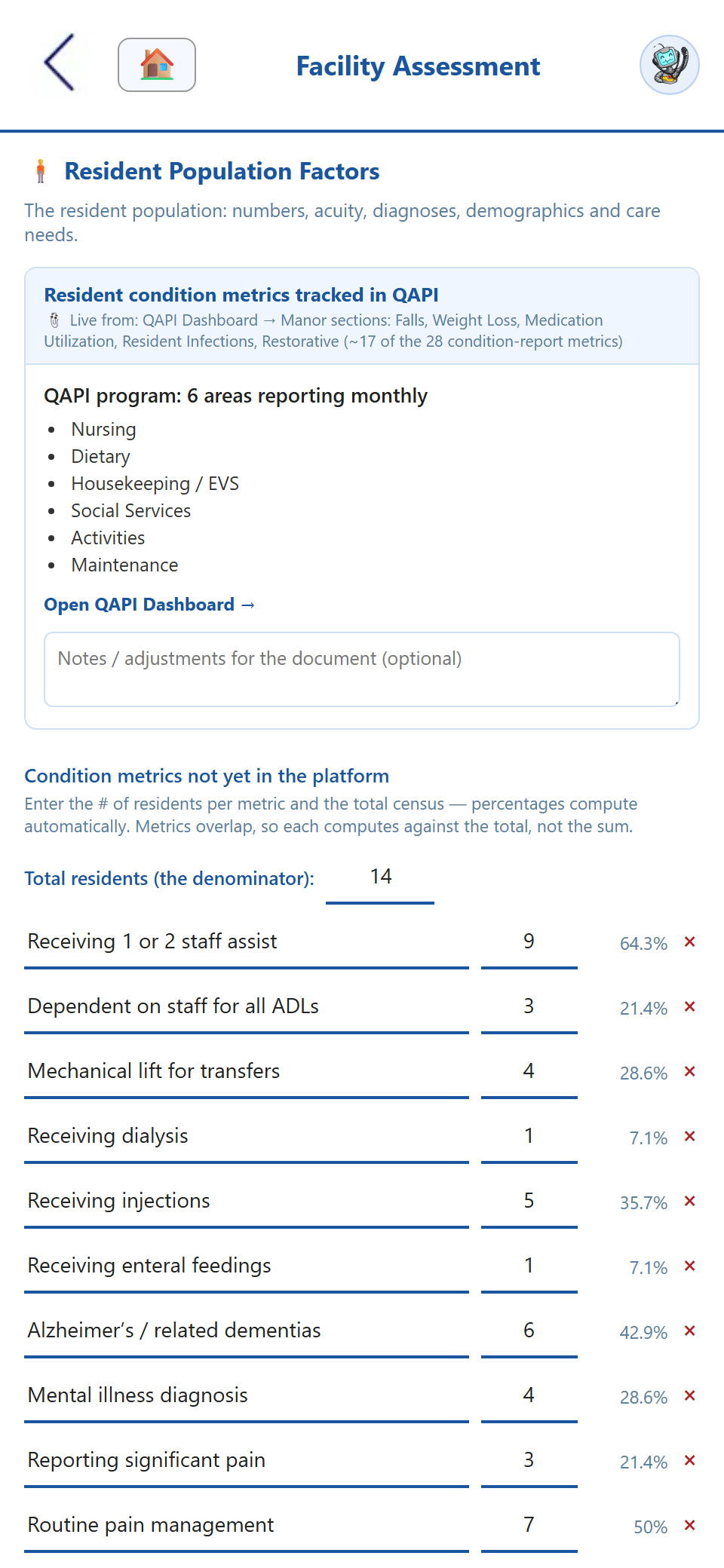
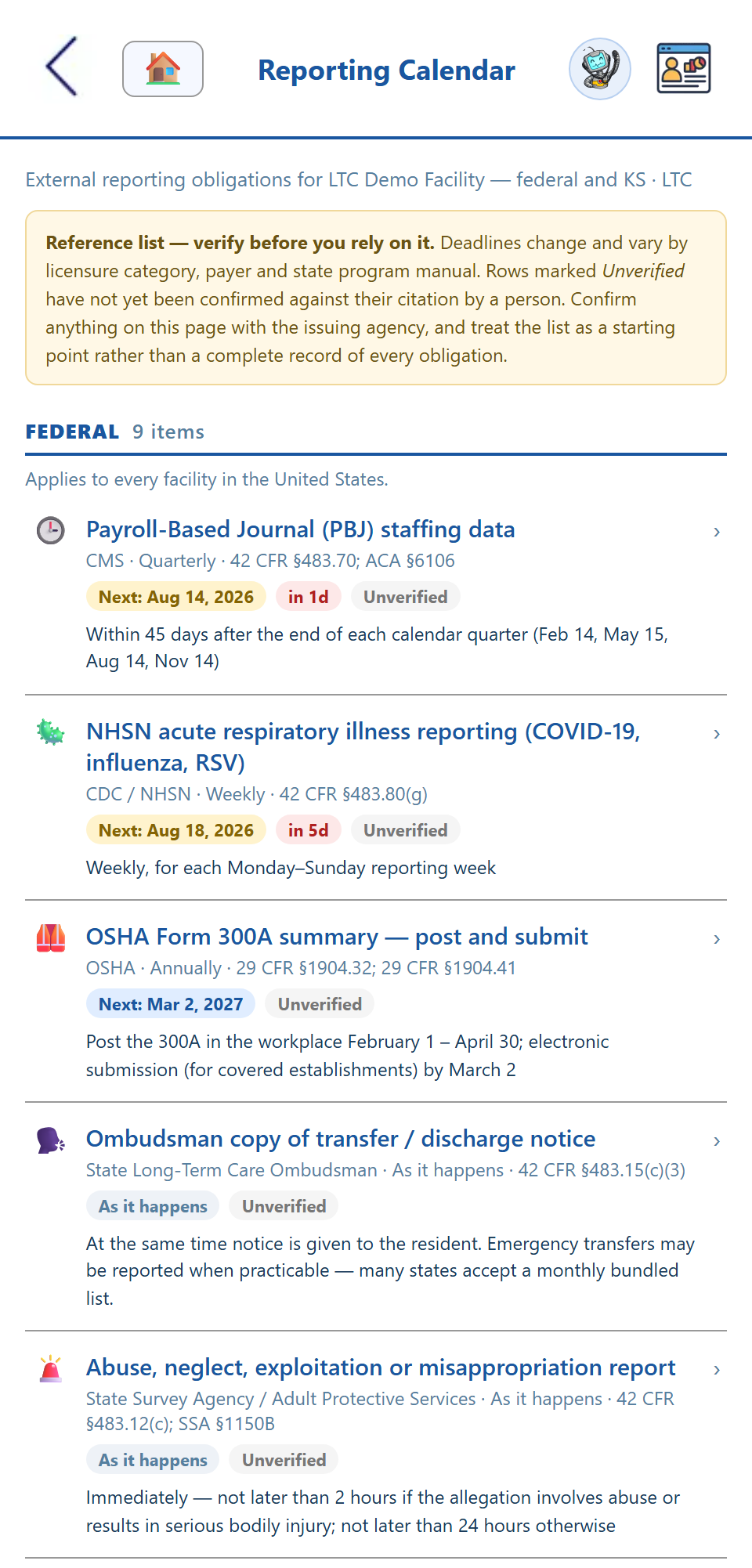
Record how many residents fall into each condition or demographic category and the percentages compute themselves — nobody types a percent, so nobody types the wrong one. Overlapping condition metrics divide by an explicit resident total rather than summing into a number that means nothing. Alongside the assessment, a regulatory reporting calendar lists the external filings you owe — PBJ, NHSN, OSHA 300A, ombudsman notices, and your own state’s requirements — each with the next date it comes due, computed from its real cadence.
- ✓ Counts in, percentages out — no hand arithmetic
- ✓ Overlapping metrics measured against a stated total
- ✓ Federal & state reporting deadlines in one calendar
- ✓ Dated log of campus changes and improvements
Walk into a survey with the assessment already printed.
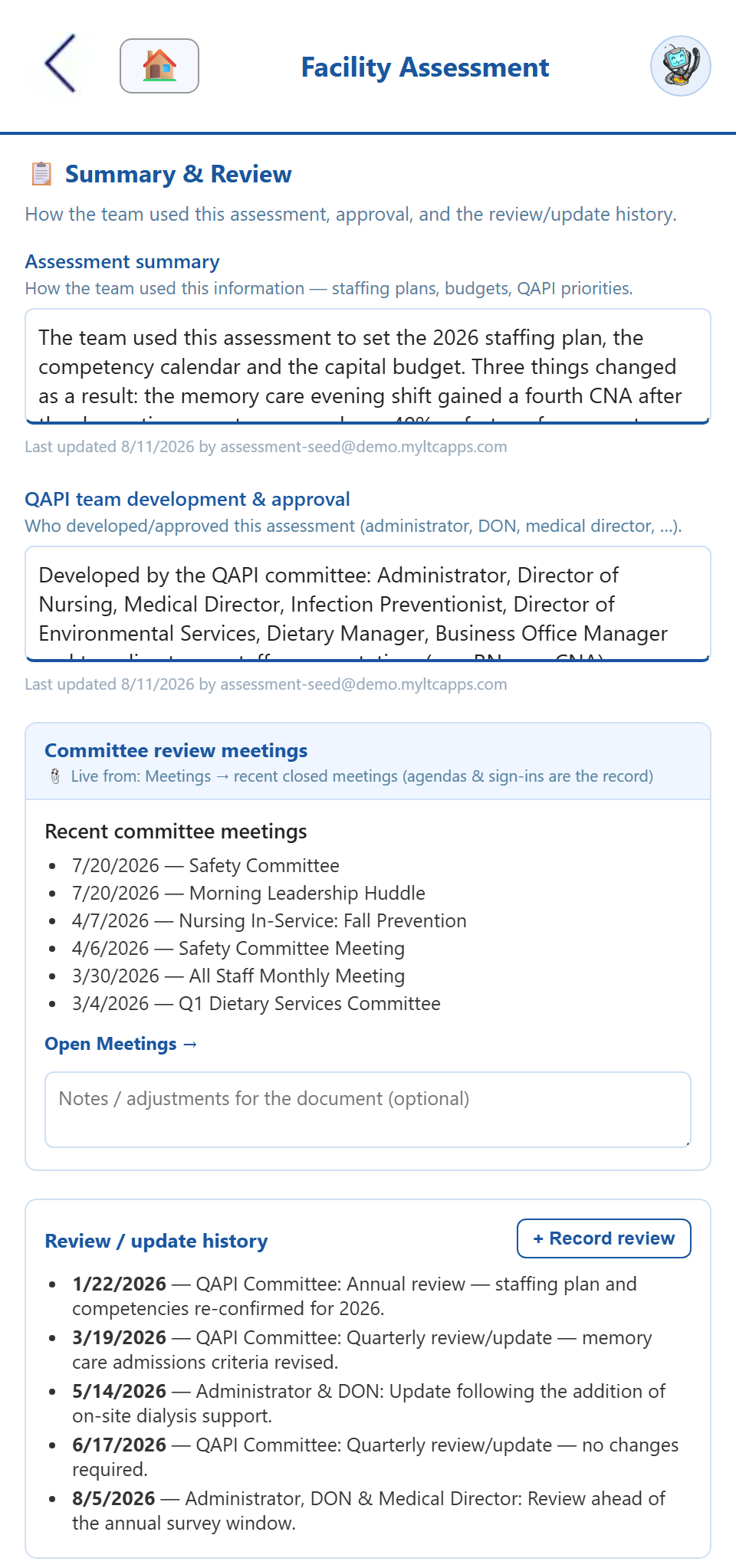
§483.71 expects the assessment to be reviewed and updated at least annually and whenever the facility changes materially. Every review is stamped into a running log with the date and the person who recorded it, and a quality or governing-body meeting can record the review straight from its agenda — the meeting is the review. When a surveyor asks for the facility assessment, one view stacks all twelve sections together, live data and all, and prints as the clean document you hand across the table.
- ✓ Annual review stamped with the date and the person
- ✓ Record the review from a QAPI or board meeting agenda
- ✓ Full-document view — every section in one printable copy
- ✓ Unanswered items surfaced as a worklist, never hidden
The CMS facility assessment, end to end.
Required sections, live facility data, condition tallies, a reporting calendar, a stamped review log, building scope, and a printable survey copy — the document stays current because the facility keeps it current.
HIPAA-compliant, by design.
The facility assessment reaches across your census, roster, and clinical program data, so it’s built to the same HIPAA standard as the rest of MyLTC Apps — encrypted, access-controlled, and hosted in U.S. data centers. Access is granted by group, not by job title, so the staffing plans and admission criteria inside the document stay with the administrators who own them, and every review and edit keeps a permanent, paperless audit trail.
Facility assessment software FAQ
How the twelve required sections, live facility data, condition tallies, the reporting calendar, and the review log keep a skilled nursing facility survey-ready.
What is facility assessment software for nursing homes?
Facility assessment software turns the CMS-required long-term care facility assessment (42 CFR §483.71) into a living document instead of a once-a-year word processor file. MyLTC Apps ships the assessment as twelve structured sections — facility information, resident factors, staff competencies, environment, buildings, equipment, services, personnel, contracts, health IT, risk, and summary. Sections that describe data you already keep are drawn live from the modules that hold it, resident condition tallies compute their own percentages, every review is stamped into a log, and the whole thing prints as a survey-ready document on demand.
Which parts of the assessment fill themselves in?
The sections that describe things your facility already tracks. Staff roster and positions, resident census, licenses and certifications, competencies, shift patterns and coverage, contracts and mutual-aid agreements, equipment and assets, the QAPI program, compliance module status, meetings, and community resources are all read live from the owning app and labeled with a “live from” chip so anyone reading knows where the number came from. Your narrative answers and annotations are what you type; the counts are what the system already knows.
How does the annual review requirement get documented?
§483.71 expects the assessment to be reviewed and updated at least annually and whenever the facility changes materially. Every review and update is written into a review log with the date and the person who recorded it, and a quality or governing-body meeting can record the review directly from its agenda — the meeting is the review. The app reports what the log actually shows, so with no entries it says no review is recorded rather than inventing a compliance verdict it has no basis for.
What is the regulatory reporting calendar?
It is a reference calendar of the external filings a facility owes a regulator — PBJ staffing submissions, NHSN respiratory reporting, ombudsman transfer and discharge notices, OSHA 300A posting, and the requirements specific to your state — with the next date each one comes due. Deadlines are computed from each requirement’s real cadence, so a quarterly filing shows the deadline for the quarter that just closed rather than one a full period away. It reports what is coming due; it does not label anything overdue, because filing itself happens outside the app.
Can it handle a campus with both a hospital and a nursing facility?
Yes. A mixed campus scopes the assessment to the building it covers, so a §483.71 document about the long-term care wing counts that wing’s staff, equipment, certifications, shifts, and quality data — not the hospital’s. Every scoped section names the scope it used, and records that carry no building tag are disclosed as a visible line rather than silently dropped or silently included. Single-building facilities never see any of it.
See the apps on your own phone.
Drop your details and we'll email you a link to the live demo. Click around on your own time — pricing is right here whenever you're ready to sign up.