Facility-wide alerts
that reach every phone
for long-term care.
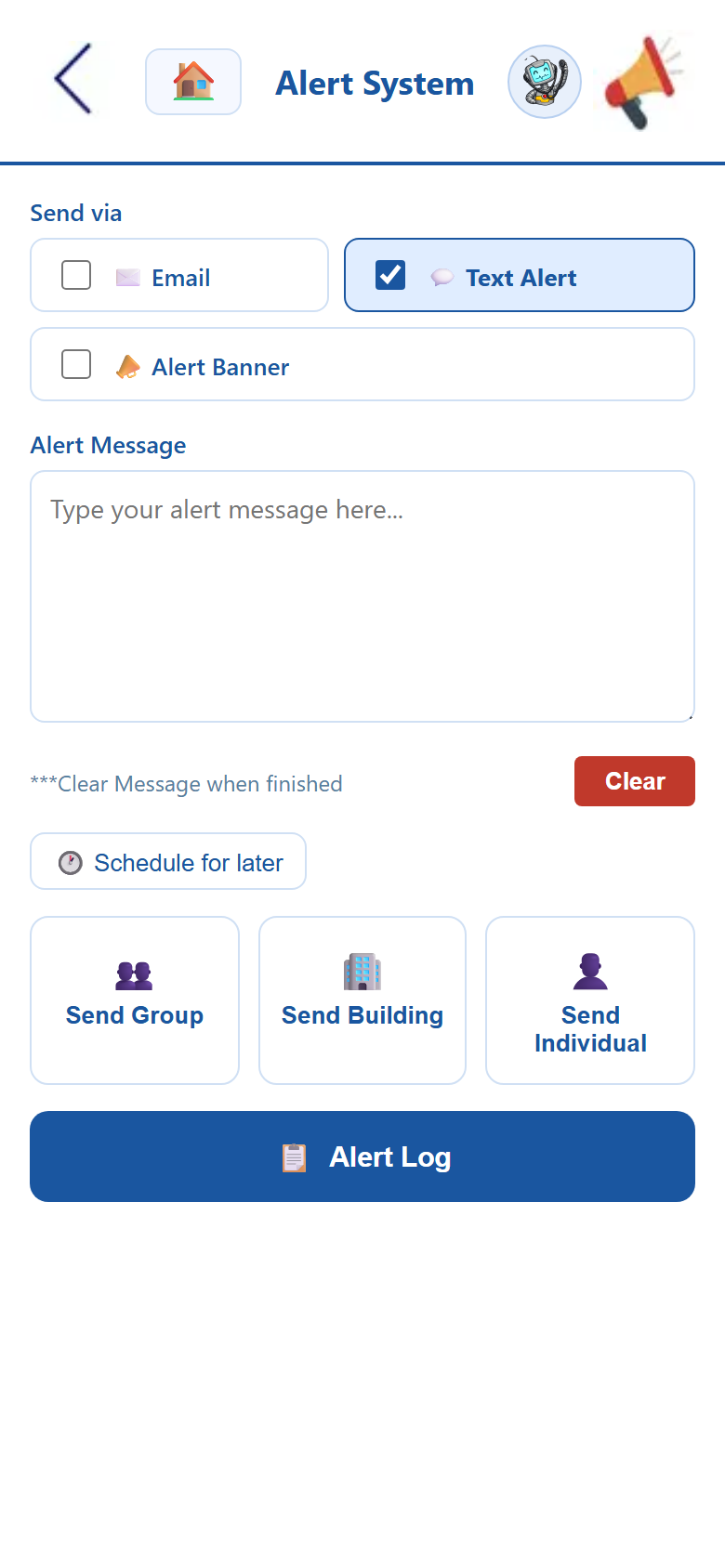
Alerts is the facility alert and communication system for skilled nursing and long-term care — one message to your whole staff in seconds, by text, email, or on-screen banner. Send a facility-wide announcement, fire an emergency notification, or target a single department, building, or person. Read receipts tell you it landed, and every alert is logged. It’s healthcare facility mass notification on the phone your team already carry, instead of an overhead page no one off the floor can hear.
In an emergency, the slowest part shouldn’t be telling people.
Severe weather rolling in. A lockdown. A missing resident. A safety hazard on a wing. These are the moments where minutes matter — and an overhead page that half the building can’t hear, a memo no one has read yet, and word passed hallway to hallway are exactly the wrong tools. With Alerts, a pre-written emergency template goes out the instant you confirm it: a text to every phone, an email for the record, and an alert banner on every screen, all at once. Staff on the floor, on break, and off-site get the same message at the same moment — and read receipts tell you who has it.
Everything a facility-wide broadcast system needs, in one app.
Instant mass notification, department targeting, read receipts, alert history, and ready-to-fire emergency templates — all from the phone your staff already carry.
An overhead page, a paper memo, and a rumor walk into a facility.
The three ways most facilities still pass news all share one flaw: you never actually know who got the message. A centralized alert system fixes that.
Facility alert & communication FAQ
How a centralized alert system, emergency notifications, department targeting, and read receipts work in a skilled nursing or long-term care setting.
What is a facility alert and communication system for long-term care?
A facility alert and communication system is a centralized way to reach every staff member in a nursing home or long-term care facility instantly. Instead of an overhead PA, a paper memo, or word of mouth, an administrator types one message and sends it as a text alert, an email, or an on-screen alert banner — to the whole building, a specific department, or one person. It’s healthcare facility mass notification built for the phone your staff already carry, with read receipts and a full alert log so you know the message landed.
How does the system send emergency alerts to staff?
For emergencies — severe weather, a lockdown, an evacuation, a missing resident — staff pick a pre-written emergency template, confirm, and send. The nursing home emergency alert fires instantly across the channels you choose: SMS text to every phone, email for the record, and an in-app alert banner. Because the message is templated and multi-channel, it goes out in seconds and reaches people on the floor, on break, and off-site at the same time — not just whoever happened to hear the page.
Can I send alerts to a specific department instead of everyone?
Yes. Every broadcast can go facility-wide or be targeted to a group, a building, or a single individual. Send a dietary update to the kitchen, a cleaning advisory to EVS, or a policy change to nursing — without burying the rest of the staff in alerts that don’t apply to them. The same LTC facility communication app handles both the all-staff emergency and the one-department reminder.
Does the system track who received and read an alert?
It does. Every alert is saved to the Alert Log with its message, recipients, delivery channel, and time sent, and read receipts show who opened and acknowledged it. For a lockdown notice, a mandatory in-service, or a policy change you need staff to confirm, you can see exactly who has responded and follow up with those who haven’t — and you keep a permanent, time-stamped record that the notification went out.
See the apps on your own phone.
Drop your details and we'll email you a link to the live demo. Click around on your own time — pricing is right here whenever you're ready to sign up.