Every competency,
assigned, signed & tracked
for long-term care.
Competencies is the nurse competency tracking software for skilled nursing and long-term care. The DON assigns a competency to a role or department and it lands on every nurse and CNA who owes it. Staff complete it and sign off on their phone — no paper sheet circling the nurses’ station. Dashboards show who’s signed off and who’s outstanding, annual renewals remind themselves, and the whole record exports to PDF or Excel when a surveyor asks who’s current.
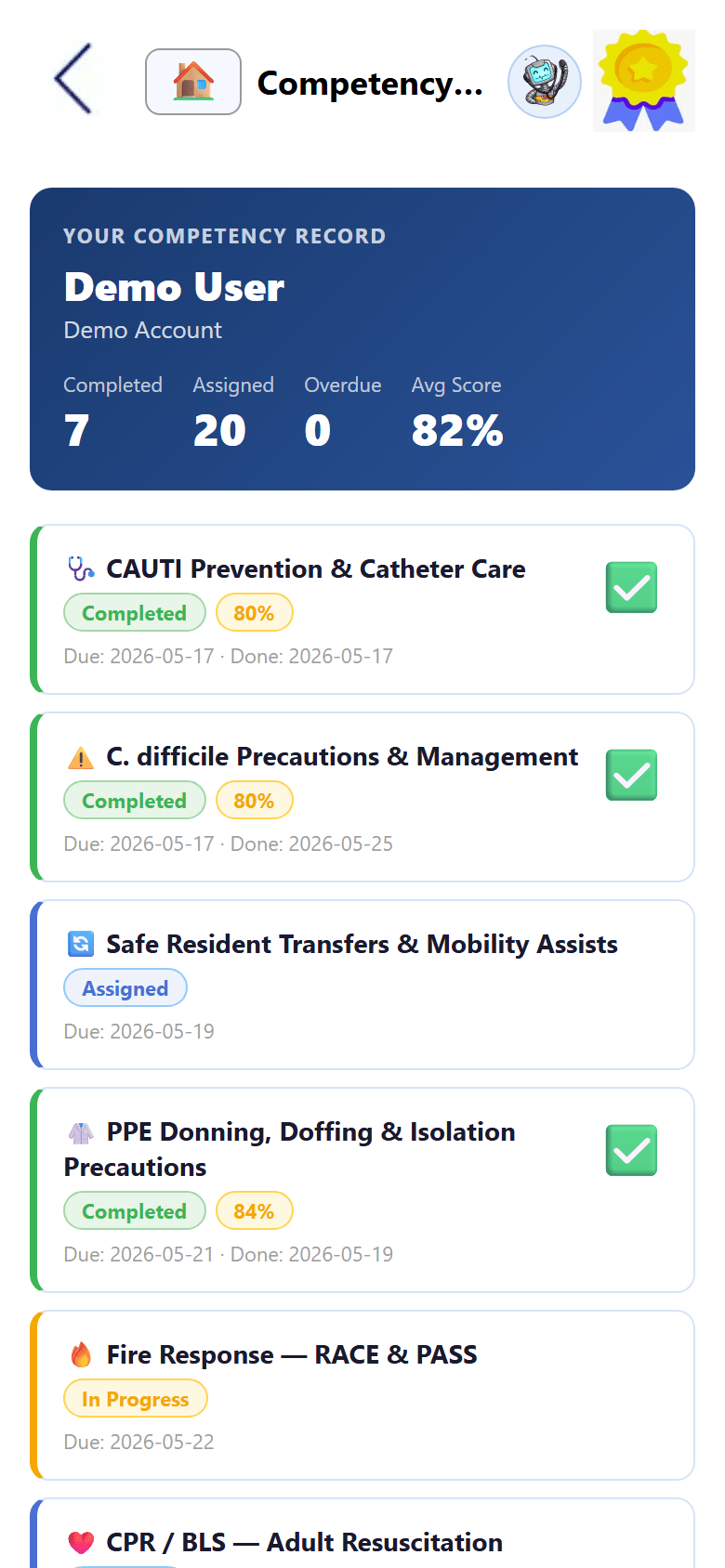
Complete competency management, on one phone.
From a single CNA’s hand-hygiene sign-off to the facility-wide competency report — one connected nursing competency management system, built for the floor and the DON’s desk.
The DON assigns once. Every nurse and CNA gets it.
Infection control, fall prevention, restraint use, medication administration, hand hygiene, abuse reporting, safe transfers — the competencies a long-term care facility runs every year ship as ready-to-assign templates. Pick one, assign it to the nursing role or a department, and it lands on every staff member who owes it. Because Competencies shares the employee directory with the rest of MyLTC Apps, a new hire inherits their role’s competency set automatically and a transfer picks up the new department’s requirements.
- ✓ Pre-built libraries — infection control, falls, restraints, meds
- ✓ Assign by role or department, not one employee at a time
- ✓ Edit a template or build a facility-specific competency
- ✓ New hires inherit their role’s competency set
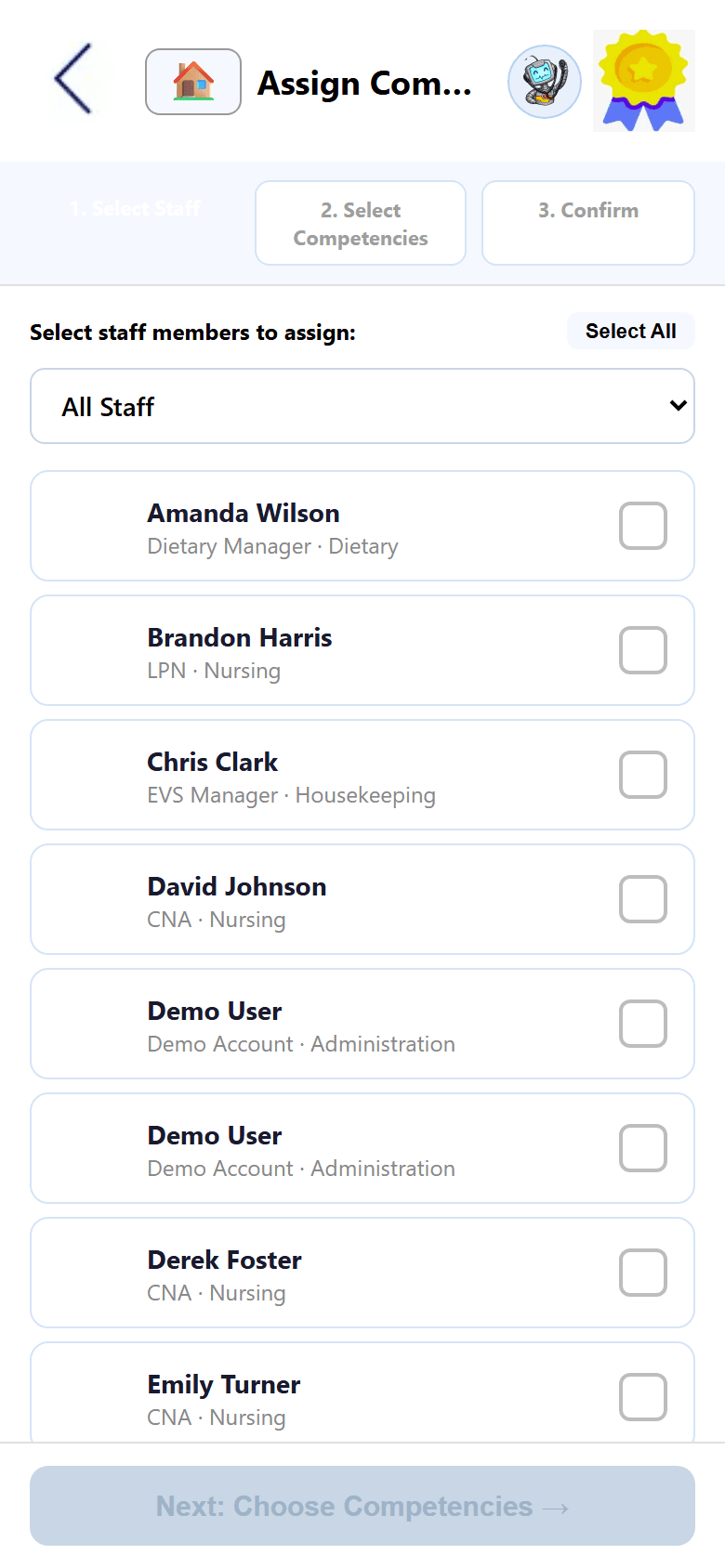
Signed on the phone, recorded the same second.
Staff open a competency on their own phone through the browser — no app-store download and no waiting for a desktop in the break room — complete it, and sign it right there. The signature, the timestamp, the employee, and the competency version are captured as one permanent record. Competencies that require a return demonstration capture the evaluator’s signature alongside the employee’s, so an observed skills assessment is a two-signature record instead of a note in a file. No paper sign-off sheet circles the nurses’ station for three weeks and disappears.
- ✓ Digital signature with employee, date & time
- ✓ Evaluator co-signature for observed skills checks
- ✓ Works on any phone through the browser
- ✓ Permanent record — nothing to file or photograph
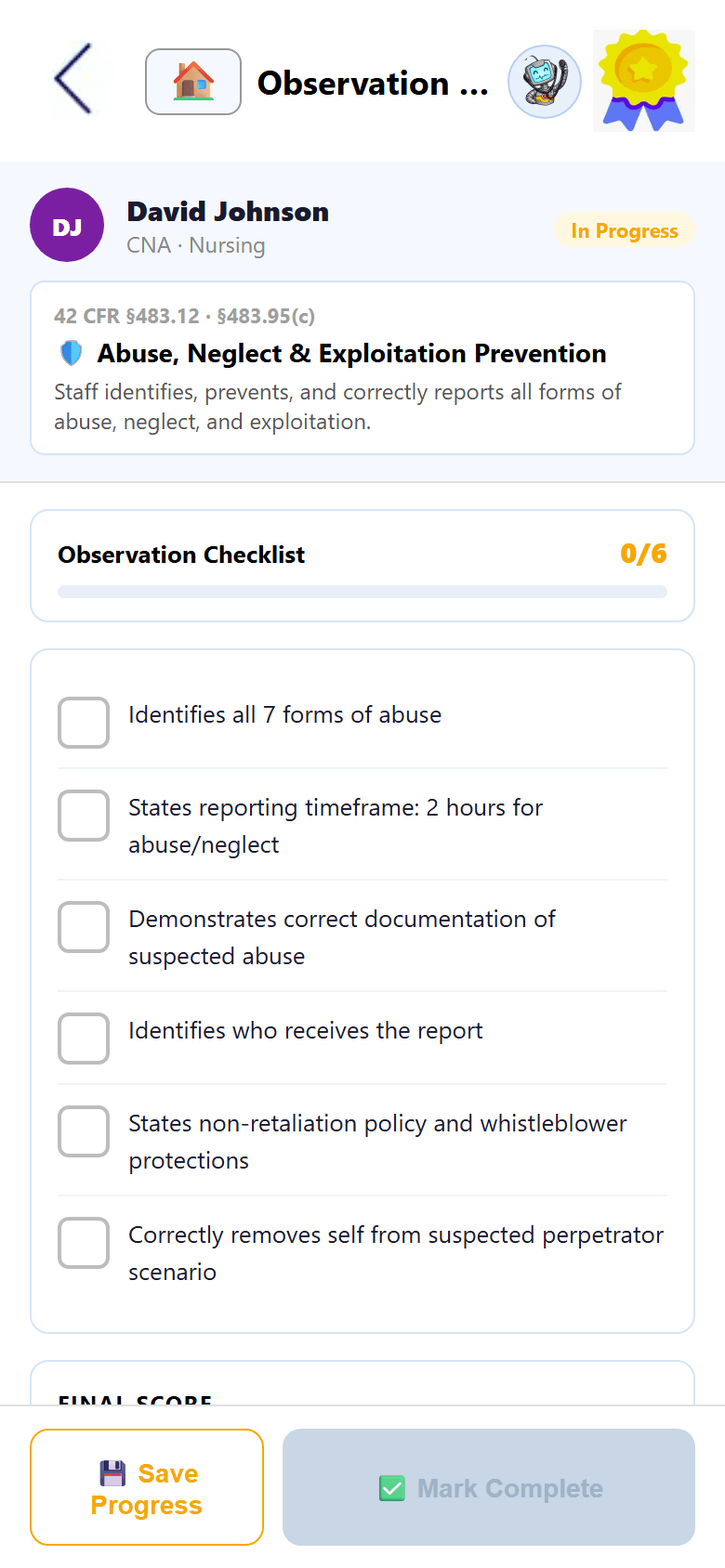
Know who’s current — before someone asks.
Every competency carries a renewal window, and the system tracks each employee’s expiration date individually. Reminders reach staff before a competency lapses, and the dashboard separates who’s signed off, who’s coming due, and who’s outstanding — by department, by competency, and by employee. Map each competency to the CMS and state training requirements it satisfies and your competency record doubles as your compliance record. Filter by staff member, department, or date and export to PDF or Excel — skilled nursing competency tracking that has the answer assembled before the surveyor walks in.
- ✓ Annual renewal reminders, tracked per employee
- ✓ Completion by department, competency & employee
- ✓ Mapped to CMS & state training requirements
- ✓ One-tap PDF & Excel competency reports
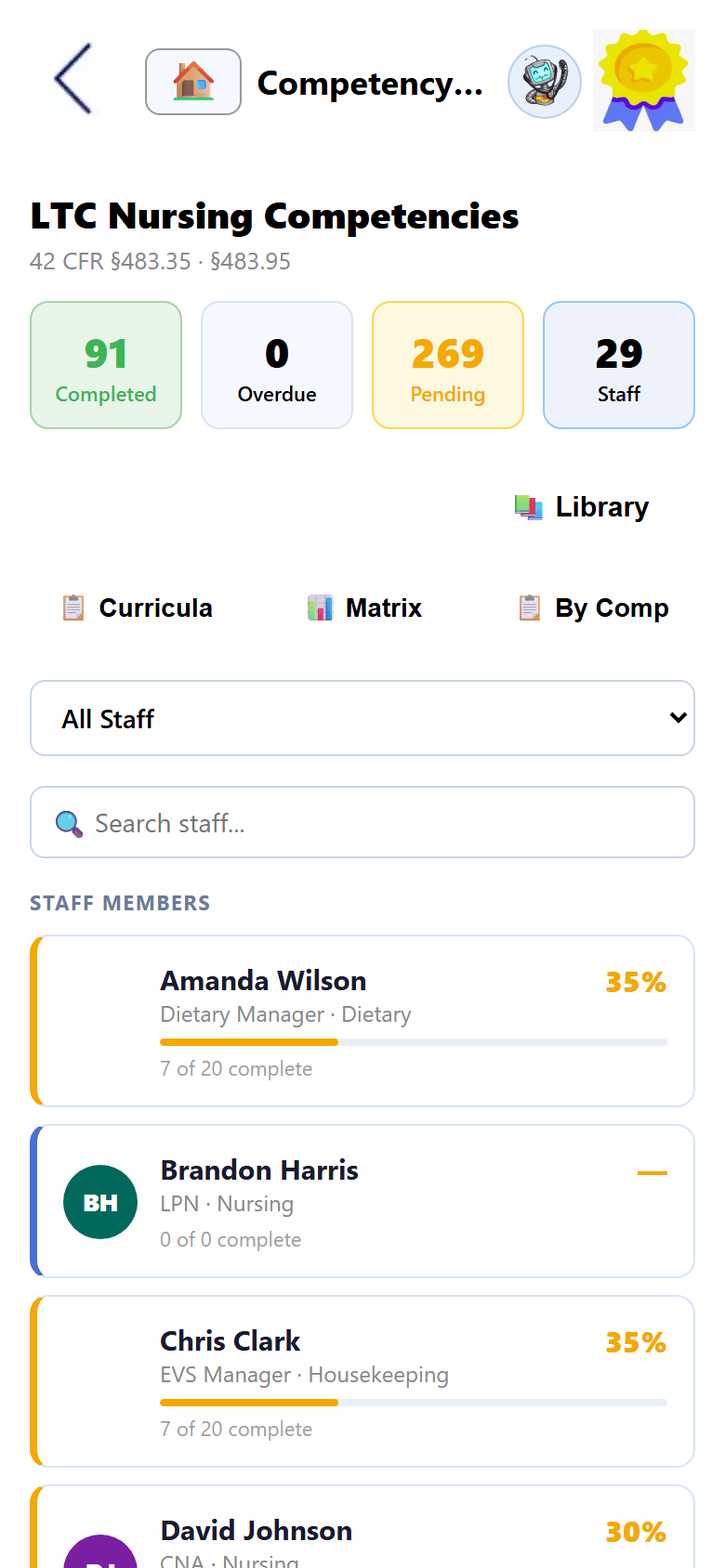
Nursing competency management, end to end.
Pre-built libraries, role-based assignment, digital sign-off, evaluator co-signatures, renewal reminders, completion dashboards, and export-ready reports — turn on what your facility runs, the rest is waiting when you need it.
HIPAA-compliant, by design.
Competencies holds the signed personnel records your DON and administrator depend on, so it’s built to the same HIPAA standard as the rest of MyLTC Apps — encrypted, access-controlled, and hosted in U.S. data centers. Role-based access keeps each employee to their own competencies while leadership sees the roll-up, QR-code logins keep shared station screens secure without passwords on a sticky note, and every signature keeps a permanent, paperless audit trail.
Nurse competency tracking FAQ
How role-based assignment, digital sign-off, annual renewals, and completion reporting work in a skilled nursing or long-term care setting.
What is nurse competency tracking software?
Nurse competency tracking software replaces paper competency checklists and sign-off sheets with a digital system that assigns, collects, and documents staff competencies. A DON assigns a competency to a role or department — nurses, CNAs, dietary, EVS — and it lands on each staff member’s phone. They complete it, sign it digitally, and the signature and timestamp become a permanent record. MyLTC Apps then shows completion rates in real time, sends annual renewal reminders before a competency lapses, and exports a survey-ready report of who is current and who is outstanding.
How are competencies assigned to nurses, CNAs, and other staff?
Competencies are assigned by role and department, not one employee at a time. The DON picks a competency — say, restraint use — assigns it to the nursing role, and every nurse and CNA in that group gets it on their phone. Because the module shares the employee directory with the rest of MyLTC Apps, assignments follow your real staffing: a new hire in a role automatically inherits that role’s competency set, and a transfer between departments picks up the new department’s requirements. Individual assignments are still available when one employee needs something the rest of the group does not.
Do digital signatures really replace paper sign-off sheets?
Yes. Staff complete a competency on their phone and sign it there, and the signature is captured with the employee identity, the date and time, and the competency version as a single permanent record. Competencies that require a return demonstration capture the evaluator’s signature alongside the employee’s, so an observed skills assessment is documented as a two-signature record. Nothing depends on a paper sheet that has to circulate the nurses’ station, get photographed, and be filed — the record exists the moment the competency is signed.
Which competencies come pre-built?
The competencies a long-term care facility runs every year ship as ready-to-assign templates: infection control, fall prevention, restraint use, medication administration, hand hygiene, abuse and neglect reporting, emergency preparedness, transfers and safe lifting, and more. You assign a template as-is or edit it to match your policy, and you can build facility-specific competencies from scratch. The point is that LTC staff competency assessment starts from a built library instead of a blank page and a Word document.
How does it handle annual renewals and CMS competency requirements?
Every competency carries a renewal window — typically annual — and the system tracks each employee’s expiration date individually. Reminders reach staff on their phones before a competency lapses, and the dashboard separates current staff from staff coming due and staff already outstanding. Each competency can also be mapped to the CMS and state training requirements it satisfies, so the same record that proves a nurse completed a skills assessment also documents competency-based staffing for a surveyor. Nothing is tracked twice in two systems.
Is it HIPAA-compliant, and does it replace our clinical EHR?
It is HIPAA-ready by design — encrypted, access-controlled with role-based permissions, and hosted in U.S. data centers, so each employee sees only their own competencies while the DON and administrator see the roll-up. It does not replace a clinical EHR like PointClickCare or MatrixCare. Competencies is part of the operational and compliance layer that runs alongside your clinical system, covering the staff training, sign-off, and survey-readiness work a clinical LTPAC platform was never built to do.
See the apps on your own phone.
Drop your details and we'll email you a link to the live demo. Click around on your own time — pricing is right here whenever you're ready to sign up.