Best DocuWare Alternatives for Long-Term Care in 2026

Best DocuWare Alternatives for Long-Term Care in 2026
Which DocuWare alternatives work best for long-term care facilities?
If you’re running a skilled nursing or long-term care facility in Kansas, the right document management platform isn’t just a filing system. It’s a compliance infrastructure. The strongest DocuWare alternatives for LTC in 2026 share three traits: compliance-ready out-of-the-box, predictable plan-based pricing, and interfaces that busy care staff will actually use.
Here’s where the leading options land:
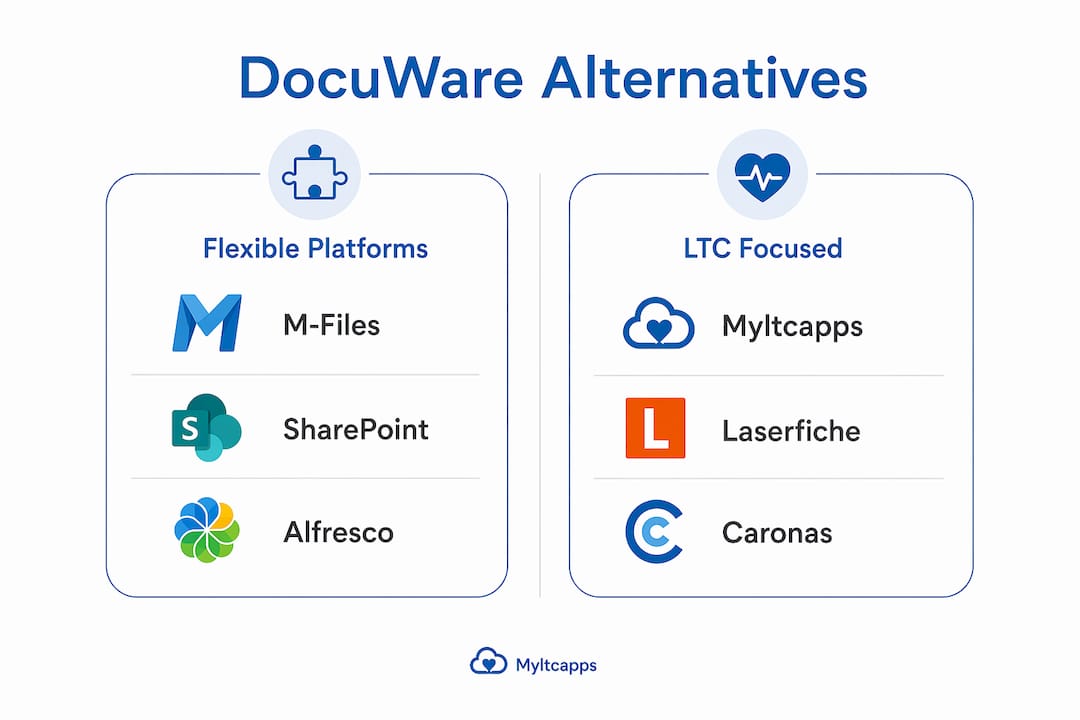
- Myltcapps — Built exclusively for LTC operations, with seeded HIPAA, QAPI, and Section 1557 libraries, mobile-first task management, and per-facility subscription pricing. The only platform on this list designed around how care staff actually work.
- Laserfiche — A well-established enterprise content management platform with strong audit trails and workflow automation. Requires significant IT involvement to configure for LTC-specific compliance.
- M-Files — Metadata-driven document management that automates compliance and retention, reducing reliance on manual folder structures. Deep Microsoft 365 integration, but implementation is complex.
- Microsoft SharePoint — Familiar to most organizations already using Microsoft 365. Powerful for large facilities with dedicated IT, but not purpose-built for clinical workflows.
- Alfresco — Open-source, cloud-native, and highly customizable. Suits facilities with developer resources; not ideal for lean administrative teams.
- Folderit — A lighter-weight cloud document storage solution with audit trails and role-based access. Simpler to deploy than enterprise platforms, though LTC-specific compliance libraries are limited.
The industry is moving toward cloud-native, direct-subscription platforms that eliminate partner-led IT projects and the hidden costs that come with them. For LTC facilities, that shift matters more than in most sectors.
Table of Contents
- How to evaluate document management software for your LTC facility
- How do the top alternatives compare for LTC facilities?
- Why Myltcapps stands out as a DocuWare alternative for LTC
- How to implement a new platform with minimal disruption
- Myltcapps is built for the facilities that can’t afford a wrong choice
- Key Takeaways
How to evaluate document management software for your LTC facility
Choosing among DocuWare competitors isn’t just a features exercise. The wrong platform creates compliance gaps that show up during surveys. The right one becomes invisible infrastructure.
What actually matters when evaluating alternatives:
- Native HIPAA and audit-trail support. Platforms that require custom configuration to meet HIPAA standards add cost and risk. Look for built-in compliance libraries, not bolt-on modules.
- Pricing model transparency. Per-user enterprise licensing scales unpredictably as headcount fluctuates. Plan-based or per-facility pricing gives you a fixed cost regardless of how many staff members log in.
- Implementation complexity. Enterprise-grade DMS often require multi-month partner-led IT projects, which means disruption during rollout and ongoing dependency on outside vendors for upgrades.
- Ease of use for care staff. Systems requiring manual metadata entry get bypassed by busy LTC staff, creating exactly the compliance gaps you’re trying to prevent. Automated indexing isn’t optional.
- Workflow automation. Can the platform trigger alerts, route documents for approval, and generate audit-ready reports without manual intervention?
- Integration with EHR/EMR, payroll, and HR systems. Platforms that don’t connect with clinical and administrative systems force duplicate data entry and create operational silos.
- Scalability for LTC operational needs. A platform that handles document storage but not task management, scheduling, or incident reporting will require a second system alongside it.
Pro Tip: Avoid the trap of over-customizing a general-purpose DMS to fit LTC workflows. Every custom configuration is a future maintenance burden. Native compliance support, like HIPAA compliance checklists built into the platform, reduces that risk significantly.

How do the top alternatives compare for LTC facilities?
The table below compares leading document management and operational platforms across the dimensions that matter most to LTC administrators. Generic labels reflect the typical deployment profile for each platform in care settings.
| Platform | Best for | Pricing model | Compliance support | Implementation complexity | Workflow automation | Target facility size |
|---|---|---|---|---|---|---|
| Myltcapps | LTC-specific operations and compliance | Per-facility subscription | Native HIPAA, QAPI, Section 1557 libraries | Low — mobile-first, no IT team required | Full: tasks, alerts, checklists, reporting | Small to mid-sized |
| Laserfiche | Enterprise content management with audit trails | Per-user license | Configurable compliance workflows | High — partner-led implementation | Strong, but requires configuration | Mid to large |
| M-Files | Metadata-driven document organization | Per-user license | Configurable; strong security controls | Medium-high | Strong with Microsoft 365 | Mid to large |
| Microsoft SharePoint | Organizations already on Microsoft 365 | Microsoft 365 subscription | Configurable; no native LTC compliance | Medium — IT-dependent | Moderate via Power Automate | Large |
| Alfresco | Open-source flexibility | Varies; open-source or enterprise | Configurable; no native LTC compliance | High — developer resources needed | Moderate | Large |
| Folderit | Lean cloud document storage | Plan-based subscription | Basic audit trails, role-based access | Low | Limited | Small to mid-sized |
The clearest trade-off in this comparison: platforms with the most configuration flexibility (M-Files, SharePoint, Alfresco) demand the most IT resources to reach LTC compliance standards. Platforms with native LTC compliance (Myltcapps) sacrifice some configurability but get you to survey-ready faster.
Why Myltcapps stands out as a DocuWare alternative for LTC
Most document management platforms were built for general business use and adapted for healthcare. Myltcapps was built the other way around: starting with the daily reality of a skilled nursing facility and working outward from there.
What the platform covers:
- Compliance task management with mobile checklists, real-time staff assignments, and surveyor-ready reporting exports
- Seeded compliance libraries covering HIPAA, Section 1557, dietary standards, QAPI, and emergency preparedness — no custom configuration required
- Work ticket and maintenance management integrated into the same interface as compliance tracking
- Cafeteria and payroll deduction dining management, resident meal tracking, and shift scheduling
- Incident reporting, alerts and notifications, asset tracking, and a staff directory with role-based access
- Meeting attendance and in-service tracking for workforce compliance documentation
The pricing model is per-facility and per-module, which means costs stay predictable even as staff headcount changes. That’s a meaningful contrast to per-user enterprise licensing, where a seasonal staffing surge can spike your software bill.
For Kansas facilities specifically, Myltcapps supports KDADS-aligned compliance workflows, which reduces the gap between your operational software and state survey requirements.
Myltcapps improves communication, task management, and resident care quality at LTC facilities by giving staff a single mobile interface for every operational function. Staff don’t need to toggle between a document system, a task app, and a paper checklist. Everything lives in one place, accessible from a personal device.
How to implement a new platform with minimal disruption
Switching document and operations management software in an active care facility is genuinely difficult. The facilities that do it well follow a consistent pattern.
A phased approach that works:
- Start with compliance-critical workflows first. Audit trails, incident reporting, and HIPAA documentation should go live before anything else. Early wins here build staff confidence and give you evidence for your next survey.
- Run parallel systems briefly, not indefinitely. A two-to-four-week overlap between old and new systems is useful. Longer than that and staff revert to the familiar system permanently.
- Prioritize mobile accessibility from day one. If staff can’t complete tasks from the floor on their own devices, adoption stalls. Platforms requiring desktop access or complex login procedures see lower adoption in busy LTC environments.
- Use vendor-provided compliance libraries immediately. Don’t wait to customize. Get the seeded content live and refine it over time based on your facility’s specific workflows.
- Integrate with existing clinical and administrative systems early. Payroll, HR, and EHR connections should be configured in the first phase, not treated as a later add-on. Siloed systems add workload and create data gaps.
- Designate a floor-level champion per department. A DON, dietary manager, or EVS supervisor who owns the rollout in their area accelerates adoption faster than any training session.
Pro Tip: Before your first post-implementation survey, run a mock audit using the platform’s reporting exports. If a surveyor asked for 90 days of compliance task records right now, could you produce them in under five minutes? That test tells you whether your implementation is actually working.
Myltcapps is built for the facilities that can’t afford a wrong choice

Most LTC administrators evaluating document storage solutions aren’t looking for another enterprise software project. They need something that works on the floor, passes a survey, and doesn’t require a dedicated IT department to maintain. That’s the gap Myltcapps fills.
Where general-purpose platforms require months of configuration to reach HIPAA compliance, Myltcapps arrives with those libraries already seeded. Where per-user licensing creates unpredictable costs, Myltcapps charges per facility. Where desktop-first systems get ignored by care staff, Myltcapps runs on the phones already in their pockets.
For Kansas facilities navigating KDADS requirements alongside federal compliance obligations, the LTC operations platform from Myltcapps is worth a direct look. Schedule a demo and see how the compliance workflows map to your current survey preparation process.
Key Takeaways
The strongest DocuWare alternatives for long-term care facilities in 2026 are platforms with native HIPAA compliance, predictable per-facility pricing, and mobile-first interfaces that care staff will actually adopt.
| Point | Details |
|---|---|
| Native compliance beats configuration | Platforms with built-in HIPAA and QAPI libraries reduce implementation risk and survey preparation time. |
| Pricing model affects long-term cost | Per-facility subscription pricing stays predictable; per-user enterprise licensing spikes with staffing changes. |
| Staff adoption depends on mobile access | Systems requiring desktop access or manual metadata entry see lower adoption in active care environments. |
| Integration prevents operational silos | Connecting payroll, HR, and EHR systems from day one eliminates duplicate data entry and compliance gaps. |
| Myltcapps is purpose-built for LTC | Myltcapps offers seeded compliance libraries, mobile-first task management, and per-facility pricing designed specifically for skilled nursing and long-term care facilities. |