When I Work Alternatives for LTC Facilities in 2026

When I Work Alternatives for LTC Facilities in 2026
Which When I Work alternatives work best for long-term care?
For long-term care administrators, the honest answer is that most general scheduling apps fall short. When I Work handles shift scheduling and team messaging well for hourly workers, but LTC-specific compliance needs like HIPAA, QAPI, and dietary regulations require more than a generalist tool can deliver out of the box.
The table below compares the two platforms most relevant to Kansas LTC facilities across the dimensions that matter most to administrators.
| Feature Category | General scheduling platforms | Myltcapps |
|---|---|---|
| Core workforce features | Scheduling, time tracking, team messaging | Shift scheduling, task management, work tickets, staff directory |
| LTC compliance support | Limited; requires manual configuration | Pre-seeded HIPAA, Section 1557, QAPI, dietary libraries |
| Mobile usability | Strong for shift workers | Phone-first design built for care staff workflows |
| Integration ease | Broad third-party integrations | Purpose-built for LTC operational systems |
| Vendor support quality | Varies by tier | Dedicated LTC-focused support |
| Pricing structure | Per-user monthly fees; add-ons extra | Per-facility and per-module subscription |
GPS geofencing combined with automated photo capture during clock-ins reduces payroll disputes and supports surveyor-ready documentation, a feature category that directly addresses the timecard errors common in LTC environments. General scheduling platforms often offer GPS tools, but compliance reporting exports built for state surveyors are a different matter entirely.
Gartner Peer Insights 2026 findings show that integration ease and vendor support during deployment are the two factors that most strongly predict staff adoption. That finding hits differently in a 120-bed skilled nursing facility where CNAs are clocking in at 6:00 AM and a failed rollout means paper timesheets for a week.
Table of Contents
- How to choose the right workforce management software for LTC
- What makes deployment succeed or fail in LTC settings
- Feature comparison: what separates LTC-ready platforms from general tools
- Security and data privacy in healthcare workforce software
- What LTC facility administrators actually report
- Scalability for different facility sizes and needs
- Myltcapps is built specifically for what LTC facilities need
- Key Takeaways
How to choose the right workforce management software for LTC
The per-user price on a vendor’s pricing page is rarely the number that matters. Hidden scaling costs often include fees for advanced compliance modules, multi-location management, and API access. A platform priced at $3 per employee per month can cost significantly more once you add the compliance and reporting modules your state surveyor actually expects to see.
Key factors to evaluate before switching platforms:
- Compliance libraries: Does the platform include pre-built HIPAA, QAPI, and dietary compliance tools, or do you configure them yourself?
- Mobile accessibility: Can floor staff complete tasks and clock in from a personal smartphone without a training session?
- Integration depth: Does it connect to your payroll processor and EHR, or does it require a manual export every pay period?
- Vendor responsiveness: What does onboarding support look like after the contract is signed?
- Pricing transparency: Are compliance modules, multi-location access, and reporting exports included or billed separately?
Conduct a feature-by-feature compliance audit before committing to any platform transition. Map your current regulatory requirements against each vendor’s native capabilities, not their roadmap promises.
Pro Tip: Calculate the administrative hours your team spends on manual workarounds each month. Multiply by your average hourly rate. That number is your real baseline cost for any platform that lacks native compliance tools.
What makes deployment succeed or fail in LTC settings
Deployment in a long-term care facility is not the same as rolling out software in a restaurant or retail chain. Staff turnover rates in LTC are high, shifts overlap, and many care workers are not tech-forward users. A platform that requires a 45-minute onboarding session per employee will face resistance before it ever goes live.
Vendor support quality during onboarding heavily affects whether staff actually adopt the system or quietly revert to paper. Platforms that offer dedicated implementation support and in-app guidance for first-time users consistently outperform those that hand administrators a knowledge base and a ticket queue. The first two weeks after go-live are where most LTC deployments succeed or collapse.
Running a parallel payroll period before fully cutting over is the single most effective way to catch configuration errors before they affect resident care staffing levels.
Feature comparison: what separates LTC-ready platforms from general tools
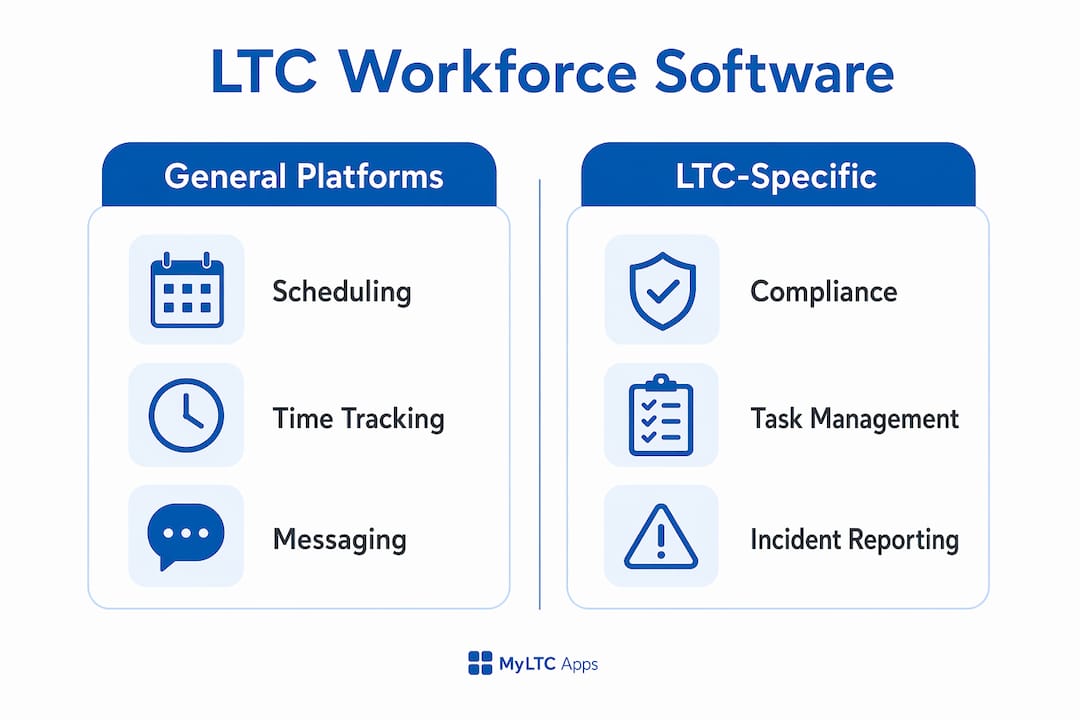
General workforce management tools cover scheduling, time tracking, and messaging. That covers roughly half of what a Kansas LTC facility actually needs to operate and stay survey-ready.

Integrated operational platforms that combine scheduling with task management and compliance tracking are what LTC administrators consistently prefer over standalone scheduling apps. The difference shows up at survey time: a generalist app produces a timesheet export; an LTC-focused platform produces a surveyor-ready compliance report.
Myltcapps includes mobile checklists, incident reporting, document management, cafeteria payroll deduction, daily compliance tasks, asset tracking, and meeting attendance alongside shift scheduling. That breadth means administrators manage fewer separate systems, which directly reduces the risk of a documentation gap during a state inspection.
Security and data privacy in healthcare workforce software
HIPAA compliance is not a checkbox. Any platform that touches employee health data, resident meal records, or incident reports must meet the technical safeguard requirements under the HIPAA Security Rule, including access controls, audit logs, and encrypted data transmission.
General scheduling apps are built for restaurants and retail. Their data privacy frameworks reflect that. LTC facilities in Kansas operating under KDADS oversight need platforms where HIPAA compliance is built into the architecture, not bolted on through a third-party integration. Section 1557 nondiscrimination requirements add another layer that most generalist tools do not address at all.
What LTC facility administrators actually report
Administrators who have moved from general scheduling tools to LTC-specific platforms consistently cite two improvements: fewer compliance documentation gaps and less time spent on manual reporting before surveys. The operational pain point is not usually scheduling itself. It is the downstream work of proving to a surveyor that the right staff were in the right place doing the right tasks.
Facilities that unify scheduling, compliance, and task management into a single mobile interface report reduced administrative workload and faster survey preparation. That outcome is harder to achieve when scheduling lives in one app, compliance checklists live in a binder, and incident reports go into a separate system.
Scalability for different facility sizes and needs
A 40-bed assisted living community and a 200-bed skilled nursing facility have genuinely different software needs. Per-user pricing models penalize growth; per-facility models reward it. Myltcapps prices by facility and module, avoiding automatic monthly bill increases when adding staff.
Module-based pricing also lets smaller facilities start with core task and compliance tools and add cafeteria management or maintenance ticketing as operations grow. That flexibility matters in rural Kansas, where facilities often operate on tighter margins and cannot absorb a large upfront software commitment.
Myltcapps is built specifically for what LTC facilities need
Most scheduling tools for LTC were designed for restaurants and adapted for healthcare. Myltcapps was built the other way around.

The platform’s compliance libraries come pre-seeded with HIPAA, Section 1557, QAPI, and dietary requirements, so administrators are not configuring compliance from scratch. Staff interact with the system entirely from their personal phones, with task completion requiring just a few taps. For Kansas facilities operating under KDADS requirements, Myltcapps offers a KDADS-ready platform that maps directly to state survey expectations.
Core capabilities include shift scheduling, mobile checklists, work ticket management, incident reporting, document management, staff directory, and surveyor-ready reporting exports, all within a single subscription. Pricing scales by facility and module, not by headcount, so growth does not create billing surprises.
See what Myltcapps covers for your facility at myltcapps.com/ltpac-software.
Key Takeaways
For LTC administrators, the right workforce management platform must cover compliance natively, not as an add-on, and deliver it through a phone-first interface that floor staff will actually use.
| Point | Details |
|---|---|
| Compliance libraries matter | Platforms with pre-seeded HIPAA, QAPI, and dietary tools eliminate manual configuration and survey risk. |
| Hidden costs add up | Compliance modules, multi-location fees, and API access often inflate per-user pricing well beyond the advertised rate. |
| Deployment support drives adoption | Vendor responsiveness during onboarding is the strongest predictor of staff adoption in LTC settings. |
| GPS and photo capture reduce disputes | Automated clock-in verification supports both payroll accuracy and surveyor-ready documentation. |
| Myltcapps fits LTC specifically | Per-facility pricing, pre-seeded compliance libraries, and a phone-first design make it a direct fit for Kansas LTC operators. |